Trouble posting pictures.

dfbroxy

Well-Known Member
Im not new to site but I dont post pics often. I am also not the most computer oriented person. I tried to start a post, gave it a title, and wanted to add pics before typing text. No matter how I tried it gave me the oops file too big message. This pic was taken with a cell phone and downloaded to my computer. BTW along with the message the pic would show on the post, but as a full blown-screen size pic. I want it the size of thumbs to add more and be clickable. Im sure the problem in on my part but any help would be great.
 
Resize your photos on the computer to some thing like 12" on the longest side and change the resolution to 72 DPI
Then the file size will drop from a couple of Mb down to a couple of hundred Kb
 
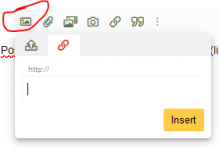
I always upload photos to an image, like Postimages or Imagebb, and paste the url (link) they provide you with, here. For that to work correctly, the URL must end with the letters .jpg or .png....
1638458737645.png
 
Just click on the "Attach files" button on the bottom left of your post page. After it opens, click on your image & you can pick thumbnail or full size.
 

Attachments

  • Christmas 2021.jpg
    Christmas 2021.jpg
    384.7 KB · Views: 2
Back
Top